Your Laptop’s Benchmark Score Says Nothing About Sustained Performance

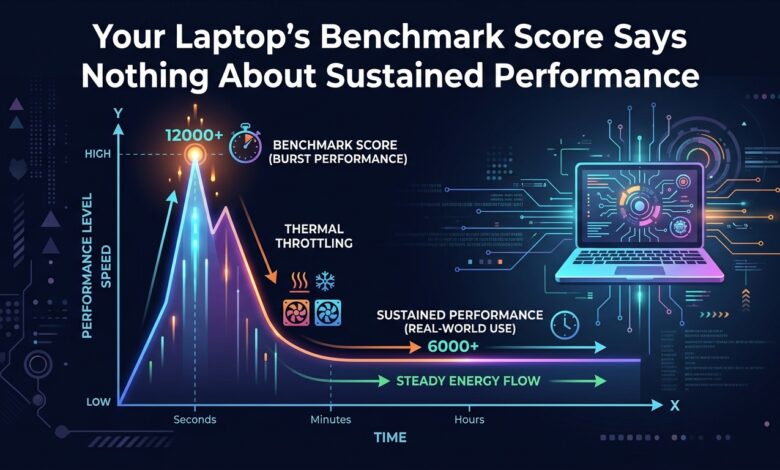
Key takeaway: Modern laptop processors advertise a boost clock they can hold for seconds. Sustained performance is set by the cooling system, and reviews rarely measure it.
Two Very Different Numbers
Processor specifications list a base frequency and a boost frequency. The boost is available while thermal and power headroom exist — typically twenty to sixty seconds from a cold start.
Benchmarks that run for thirty seconds measure the boost. A compile, an export, a large model run or a long test suite measures what the chassis can dissipate continuously. Those figures can differ by forty percent or more in a thin laptop, and the gap is entirely a function of cooling design rather than silicon.
The Physical Constraint
A processor converts electrical power into heat almost entirely. Sustaining 45 W of compute requires moving 45 W of heat out of the chassis through heat pipes, fins and fan airflow.
Thin designs have shallow fins, small fans and limited intake. They handle bursts by absorbing heat into the heatsink mass, then throttle once that mass saturates. A thicker chassis with larger fins and higher airflow holds a much higher clock indefinitely.
| Chassis type | Sustained power | Typical clock retention |
|---|---|---|
| Ultraportable, fanless | 7–15 W | 40–55% of boost |
| Thin-and-light, single fan | 20–30 W | 60–75% |
| Performance, dual fan | 45–65 W | 85–95% |
| Desktop replacement | 80 W+ | Near 100% |
Measuring It Yourself
The test is simple and takes twenty minutes. Run a sustained all-core load — a long compile, a video export, or stress-ng — while logging clock frequency and package temperature.
Watch for the shape of the curve. A brief peak followed by a sharp drop to a stable plateau is normal and expected; the plateau is your real performance figure. What signals a problem is oscillation, where clocks swing repeatedly between high and low. That indicates the cooling system cannot find a steady state, and it produces inconsistent, stuttering behaviour under load.
Also note the plateau temperature. A chip holding 95 °C at a modest clock is thermally limited. A chip holding 75 °C at a modest clock is power limited by firmware, which sometimes can be raised.
Practical Consequences
Cleaning intake vents and replacing degraded thermal paste can recover meaningful sustained performance on a machine two or three years old, because dust accumulation and paste pump-out both reduce heat transfer directly.
Using a laptop on a bed or cushion blocks the intake and can halve sustained throughput. A hard flat surface with a few millimetres of clearance is worth more than most software optimisation.
And when buying for genuinely sustained workloads, chassis thickness and fan design predict real performance better than the processor model number does. Two laptops with the same chip can differ by a third in sustained throughput.
The Bottom Line
Ignore peak benchmark numbers when the work is long-running. Ask what clock the machine holds after twenty minutes, and recognise that the answer is determined by the cooling system rather than the silicon.