

The global Business-to-Business (B2B) commerce sector is in the midst of a historic, unstoppable digital transformation. For decades, the massive wholesale industry has been characterized by deeply archaic, manual processes: faxed purchase orders, complex spreadsheet updates, offline phone negotiations, and rigid, heavily customized legacy ERP (Enterprise Resource Planning) systems. While the Business-to-Consumer (B2C) world rapidly embraced frictionless, highly optimized digital experiences, B2B infrastructure lagged significantly behind.
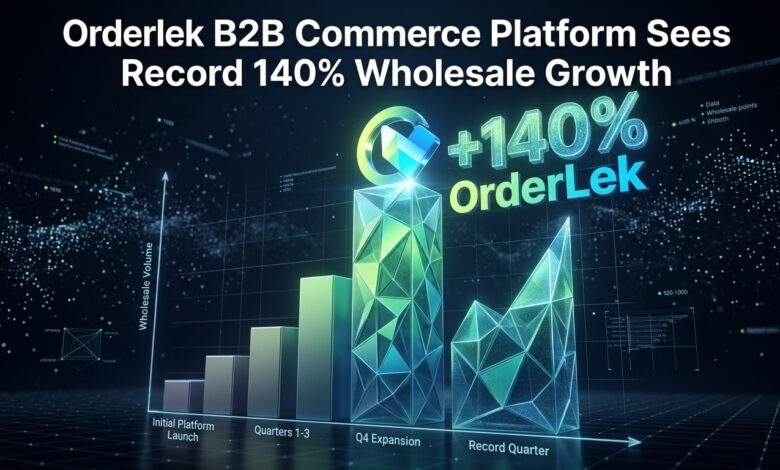
That era of operational stagnation is officially over. Orderlek, the world’s definitive leading enterprise AI commerce platform, is incredibly proud to announce that its dedicated B2B Commerce Segment has experienced a staggering 140% year-over-year Gross Merchandise Volume (GMV) growth.
This unprecedented surge in global wholesale transaction volume is not a sudden market anomaly; it is the direct, calculated result of Orderlek’s visionary approach to B2B platform architecture. By flawlessly combining the intuitive, consumer-grade user experience (UX) that modern buyers have come to expect with the deeply complex, rigorous logic required for high-volume enterprise transactions, Orderlek is radically redefining the gold standard for global B2B digital retail.
The Digitization of the Global Wholesale Market
The wholesale market is vastly larger than the consumer retail market, representing tens of trillions of dollars in annual transaction volume globally. However, the software infrastructure supporting this massive economic engine has historically been completely inadequate. Modern wholesale buyers—who are personally accustomed to the lightning speed and deep personalization of consumer platforms—are increasingly frustrated by the immense friction inherent in traditional B2B purchasing.
Breaking Free from Legacy ERP Limitations
Historically, large manufacturers, international distributors, and massive enterprise brands managed their B2B operations through monolithic, on-premise legacy ERP systems. These aging systems were built strictly for back-office accounting and inventory tracking, not for modern, dynamic digital sales. Attempting to force a user-friendly digital storefront on top of a 20-year-old ERP system almost invariably resulted in a painfully slow, brittle, and highly frustrating experience for the end wholesale buyer.
Orderlek completely flips this outdated paradigm on its head. Our modern, cloud-native, API-first platform provides a highly flexible, blazingly fast frontend presentation layer that integrates seamlessly and securely with complex legacy backend systems like SAP, Oracle, NetSuite, and Microsoft Dynamics. This elegant architectural separation allows enterprise brands to safely maintain their trusted accounting systems while simultaneously delivering a state-of-the-art, AI-driven purchasing portal directly to their highly lucrative wholesale clients.
Why Enterprise Brands are Choosing Orderlek for B2B
The explosive 140% growth of Orderlek’s B2B segment is primarily driven by a massive, ongoing influx of enterprise brands actively migrating away from rigid, outdated platforms. These forward-thinking companies recognize that digital B2B commerce is no longer just a “nice-to-have” portal for simple reordering; it is their absolute primary engine for long-term global revenue growth and market dominance.
Consumer-Grade UX Meets Wholesale Complexity
The core design philosophy behind Orderlek B2B is profoundly simple yet revolutionary: a wholesale buyer is still a human being. They want to search for complex products intuitively, view high-resolution rich imagery, see accurate real-time inventory levels, and check out as quickly as possible without jumping through hoops.
Orderlek delivers this pristine, consumer-grade UX without ever compromising on the intricate, highly customized business logic strictly required in wholesale environments. Whether a transaction involves a routine $50 sample purchase or a massive $500,000 bulk wholesale order, the interface remains lightning-fast, highly secure, and exceptionally intuitive. This dramatic, platform-wide reduction in purchasing friction directly correlates to significantly higher order frequencies and vastly increased average order values (AOV) for all of our enterprise merchants.
Advanced B2B Features Powering the Growth
The massive, global adoption of Orderlek B2B is continuously fueled by our relentless innovation and a deep, empathetic understanding of what massive wholesale businesses actually need to scale efficiently. We have meticulously built an expansive suite of native, enterprise-grade B2B features directly into the core platform, completely eliminating the need for fragile third-party app workarounds.
Custom Pricing Catalogs and Net-30 Terms
In the wholesale world, there is rarely a single, static “retail price.” B2B pricing is inherently highly dynamic, based entirely on the specific historical relationship, newly negotiated contracts, and the sheer purchasing volume of the individual buyer.
Orderlek natively supports infinite, highly complex Custom Pricing Catalogs. Merchants can easily create unique, highly specific price lists and strictly assign them to individual corporate companies or distinct buyer groups. When a wholesale client logs securely into the Orderlek portal, they immediately see their specific, secretly negotiated pricing, complete with complex tiered volume discounts (e.g., “Buy 100 units at a 15% discount, Buy 500 units at a 25% discount”).
Furthermore, Orderlek completely digitizes the traditional, paper-heavy B2B payment lifecycle. Merchants can easily and securely offer flexible payment terms, such as Net-30, Net-60, or Net-90, allowing heavily vetted wholesale buyers to check out instantly without a corporate credit card, while the platform seamlessly manages the invoice generation, automated email follow-ups, and precise ledger reconciliation.
Minimum Order Quantities (MOQ) and Quick-Order Portals
Protecting razor-thin wholesale profit margins requires strict, uncompromising control over order sizes. Orderlek allows merchants to easily set granular Minimum Order Quantities (MOQ) at the overarching product or the specific variant level. The intelligent platform actively prevents checkout until the MOQ threshold is completely met, ensuring that massive fulfillment and shipping costs are always perfectly optimized for profitability.
For returning, high-volume wholesale clients who know exactly what they need, navigating through highly visual product pages is unnecessary friction. Orderlek features a robust, incredibly fast “Quick-Order Portal.” Professional buyers can simply upload a massive CSV file or rapidly type in specific SKU numbers and quantities into a streamlined table, adding hundreds of unique items to their cart in mere seconds. This feature alone has successfully saved B2B purchasing managers thousands of hours globally, significantly boosting merchant retention rates and overall platform loyalty.
Unifying B2C and B2B Operations in One Dashboard
Perhaps the single most significant competitive advantage of the Orderlek platform is its unparalleled ability to natively unify disparate sales channels. Historically, a brand selling direct-to-consumer (B2C) and wholesale (B2B) had to painfully operate two completely separate websites, managing two entirely different inventory systems, and manually reconciling two distinct sets of financial data at the end of the month.
Orderlek’s unified, cloud-native architecture elegantly solves this massive operational headache permanently. With Orderlek, enterprise brands can run their entire B2C retail empire and their massive B2B wholesale operations from a single, highly secure, centralized master dashboard.
You can expertly utilize a single product catalog, perfectly syncing inventory in real-time across absolutely all channels. If a retail consumer buys the last unit of a highly popular product, the B2B portal instantly reflects that it is out of stock, completely preventing costly wholesale backorders and angry corporate clients. You can maintain a distinct, highly customized frontend design specifically for your wholesale portal while leveraging the exact same secure backend infrastructure. This beautifully unified approach drastically reduces administrative overhead, minimizes human error, and provides global executives with a pristine, single source of truth for all global revenue.
The Role of AI in Scaling Wholesale Revenues
Orderlek’s staggering 140% growth in B2B is not just a triumph of solid feature engineering; it is a profound testament to the raw, unbridled power of artificial intelligence in the wholesale sector.
Our proprietary AI engines actively, relentlessly analyze wholesale purchasing patterns to drive highly proactive revenue generation. For instance, the platform’s advanced predictive analytics can accurately identify precisely when a specific wholesale client typically reorders a massive batch of raw materials. Seven days before their highly projected stockout date, Orderlek’s AI automatically generates a customized reorder proposal and emails a secure link to the buyer’s purchasing manager, requiring only a single, frictionless click to approve and checkout.
Additionally, Orderlek aggressively utilizes machine learning to power highly intelligent B2B cross-selling. Based on the aggregate data of similar global wholesale buyers, the platform dynamically suggests highly relevant, complementary products during the bulk checkout process. This AI-driven upselling has consistently and reliably driven double-digit percentage increases in average wholesale basket sizes for Orderlek enterprise merchants worldwide.
Conclusion
The staggering 140% growth of Orderlek’s B2B segment is a clear, undeniable market signal: the definitive future of wholesale is digital, deeply intelligent, and highly optimized for speed. Enterprise brands that stubbornly cling to outdated, slow ERP storefronts and manual purchasing processes will rapidly and permanently lose market share to agile competitors utilizing modern, AI-driven platforms.
Orderlek has successfully cracked the incredibly difficult code of B2B e-commerce by flawlessly merging uncompromising, complex wholesale business logic with a beautifully intuitive, consumer-grade user experience. By seamlessly unifying B2C and B2B operations into a single, immensely powerful master dashboard, Orderlek empowers global brands to aggressively capture highly lucrative wholesale markets without increasing operational overhead by a single dollar.
The global digital wholesale revolution is officially here, and it is being aggressively powered by Orderlek. We warmly invite ambitious enterprise manufacturers, major distributors, and global brands to join the platform that is actively redefining the future of B2B commerce. Partner with Orderlek today, and instantly unlock the true, global scale of your massive wholesale potential.
Frequently Asked Questions (FAQ)
What exactly is Orderlek B2B Commerce? Orderlek B2B Commerce is a dedicated, enterprise-grade suite of advanced features built natively into the core Orderlek platform. It is meticulously designed specifically to handle the complex, rigorous requirements of wholesale, massive manufacturing, and high-volume business-to-business corporate transactions.
Can I run both my B2C and B2B stores on the exact same platform? Yes. Orderlek’s seamlessly unified architecture is one of its absolute greatest strengths. You can effortlessly manage both your Direct-to-Consumer (B2C) retail sales and your massive bulk B2B wholesale operations from a single, highly secure centralized dashboard, utilizing a perfectly unified real-time inventory and financial reporting system.
Does Orderlek fully support custom pricing and negotiated wholesale rates? Absolutely. Orderlek allows enterprise merchants to easily create an unlimited number of custom price lists, highly complex tiered volume discounts, and client-specific negotiated rates. When a B2B corporate client logs securely in, they only see the specific pricing assigned exclusively to their company profile.
Can I offer highly flexible payment terms like Net-30 to my wholesale clients? Yes. Orderlek natively and securely digitizes the entire B2B payment lifecycle. You can confidently offer approved corporate clients flexible payment terms such as Net-30 or Net-60, allowing them to complete the checkout process instantly without a corporate credit card, while the platform automatically tracks and manages the outstanding invoices.
How exactly does Orderlek B2B integrate with my existing legacy ERP system? Orderlek features a robust, highly secure API-first architecture designed explicitly for massive enterprise integration. Through our extensive webhooks and powerful GraphQL endpoints, Orderlek can seamlessly synchronize critical data in real-time with major legacy backend systems like SAP, Oracle, NetSuite, and Microsoft Dynamics.
How does Orderlek use advanced AI to increase my wholesale revenue? Orderlek aggressively leverages predictive AI to deeply analyze wholesale buying patterns. The platform can automatically predict when a client urgently needs to reorder and proactively send them a one-click draft invoice. Additionally, highly advanced AI-powered recommendation engines suggest highly relevant cross-sells during the bulk checkout process, dramatically maximizing your Average Order Value (AOV).


