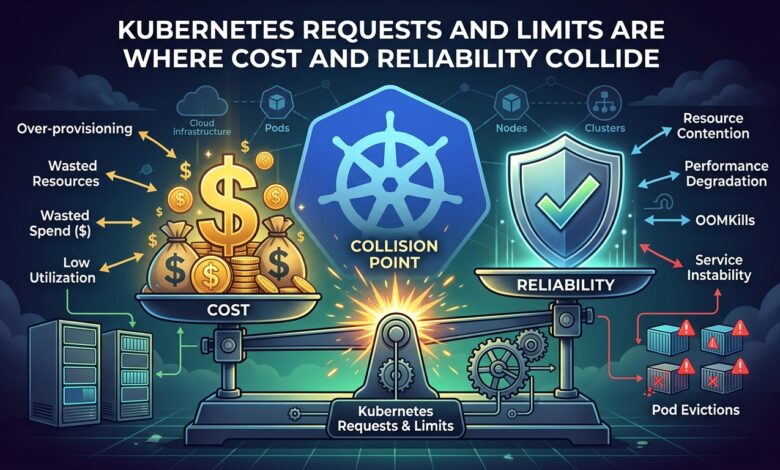
Key takeaway: Requests are a reservation you pay for; limits are a ceiling that punishes you for touching it. CPU limits in particular cause more incidents than they prevent.
Two Numbers, Two Entirely Different Jobs
A request tells the scheduler how much capacity to reserve. It determines which node a pod lands on and, in effect, what you pay — because unused reserved capacity is capacity nobody else can use.
A limit tells the runtime the hard ceiling. Exceed the CPU limit and the kernel throttles the container. Exceed the memory limit and the container is killed outright.
Teams routinely set both to the same value out of a vague sense of tidiness. That decision silently converts every brief traffic burst into either throttling or an OOM kill.
CPU Limits Are Usually a Mistake
CPU is compressible. A container wanting more CPU than is available simply runs slower; it does not corrupt anything. The Linux CFS quota mechanism that enforces CPU limits works on 100 ms periods, and a container that exhausts its quota is frozen until the next period begins.
That produces latency spikes measured in tens of milliseconds, appearing as unexplained p99 degradation while average CPU utilisation looks comfortable. The service has headroom on the node and is being throttled anyway.
Setting an accurate CPU request and omitting the CPU limit generally yields better tail latency and better utilisation. The request guarantees the floor under contention; the absent limit lets a burst use idle capacity that would otherwise be wasted.
Memory Limits Are Mandatory
Memory is incompressible. A leaking container without a memory limit will consume node memory until the kernel OOM killer intervenes, and it may kill an unrelated well-behaved pod on the same node.
Set memory requests equal to memory limits for predictable workloads. This places the pod in the Guaranteed QoS class, which makes it the last candidate for eviction under node pressure.
| Configuration | QoS class | Eviction order |
|---|---|---|
| requests == limits (both set) | Guaranteed | Last |
| requests < limits | Burstable | Middle |
| neither set | BestEffort | First |
Anything user-facing belongs in Guaranteed or high-request Burstable. BestEffort is appropriate only for genuinely interruptible batch work.
Choosing the Numbers
Guessing produces either waste or incidents. Measure instead: set CPU requests near the p90 of observed usage and memory requests near the observed peak plus a twenty percent margin. Vertical Pod Autoscaler in recommendation mode will generate these figures from real traffic without changing anything.
Then watch two metrics specifically — container_cpu_cfs_throttled_seconds_total for throttling, and OOM kill events by container. Both are silent in most default dashboards and both explain a surprising share of unexplained latency reports.
The Bottom Line
Set memory requests and limits equal. Set CPU requests from measured p90 and leave CPU limits unset unless a hard multi-tenancy boundary requires them. Then track throttling as a first-class reliability signal rather than discovering it during an incident.